

As an agent, your day is a constant juggle — active deals, prospecting calls, lease renewals, commission timelines, and everything in between. The last thing you need is to dig through your email, a sticky note, or a separate calendar app just to remember what's coming up next.
Realcore is built to do that work for you.
Here's a breakdown of two tools already inside your platform that keep you organized and on top of every important date — without any extra effort on your part.
Your Next 30 Days: The Command Center You Might Be Underusing
Inside your pipeline, there is a section called Next 30 Days. Think of it as your rolling snapshot of everything that matters right now. Here is what populates there automatically:
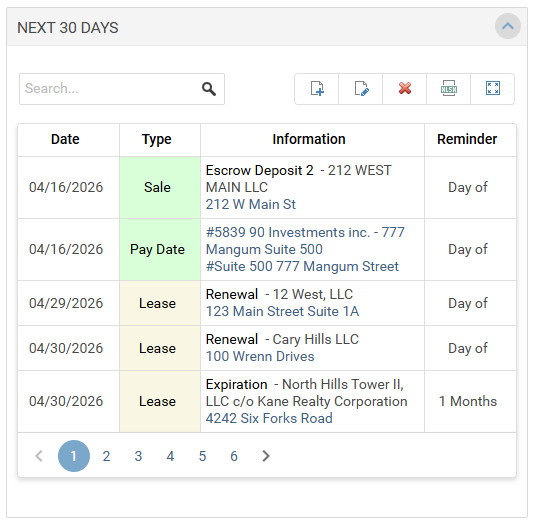
- Lease Expiration Dates: No action required. The moment a lease expiration date exists on a deal, Realcore picks it up and surfaces it in your Next 30 Days window when the date falls within range. No manual entry. No reminders to set. It's just there.
- Invoice and Payment Dates: Same story. Once payment dates are entered on a deal — whether that's an upcoming over due invoice or a payment coming to you from the company — those dates surface automatically. You will see them before they sneak up on you.
- Upcoming Sales Dates and Listing Agreement Expirations: Critical dates tied to your active deals flow into this view as well. Listing agreement expiration dates are especially easy to miss when you are managing multiple properties, so having them surface on their own is a quiet but powerful feature.
- Follow-Up Dates from Your Notes: This one is a game changer for prospecting and deal management. Whenever you add a note to a prospect, a project, or a deal — and you attach a follow-up date to that note — Realcore will surface that reminder in your Next 30 Days window once it falls within the 30-day range. It also appears on your calendar.
This means every time you talk to a prospect and jot down a note, you can set a follow-up date right then and there. No separate task. No extra app. Just a note with a date, and Realcore handles the rest.
This works across prospects, projects, and deals — so wherever your conversations are happening inside the platform, your follow-ups are covered.
Personal To-Dos: Sometimes you just need to add a reminder for yourself. In your Next 30 Days window, you will see a plus sign. Click it, add a title, pick a date and time, write a quick description, and you are done. These are personal to-dos — just for you, not assignable to others — but they are a handy way to track anything that does not belong to a specific deal or note.
Your My Data - Calendar: The Full Picture
When you want to zoom out — or look back at something you may have missed — head to My Data and open your Calendar.
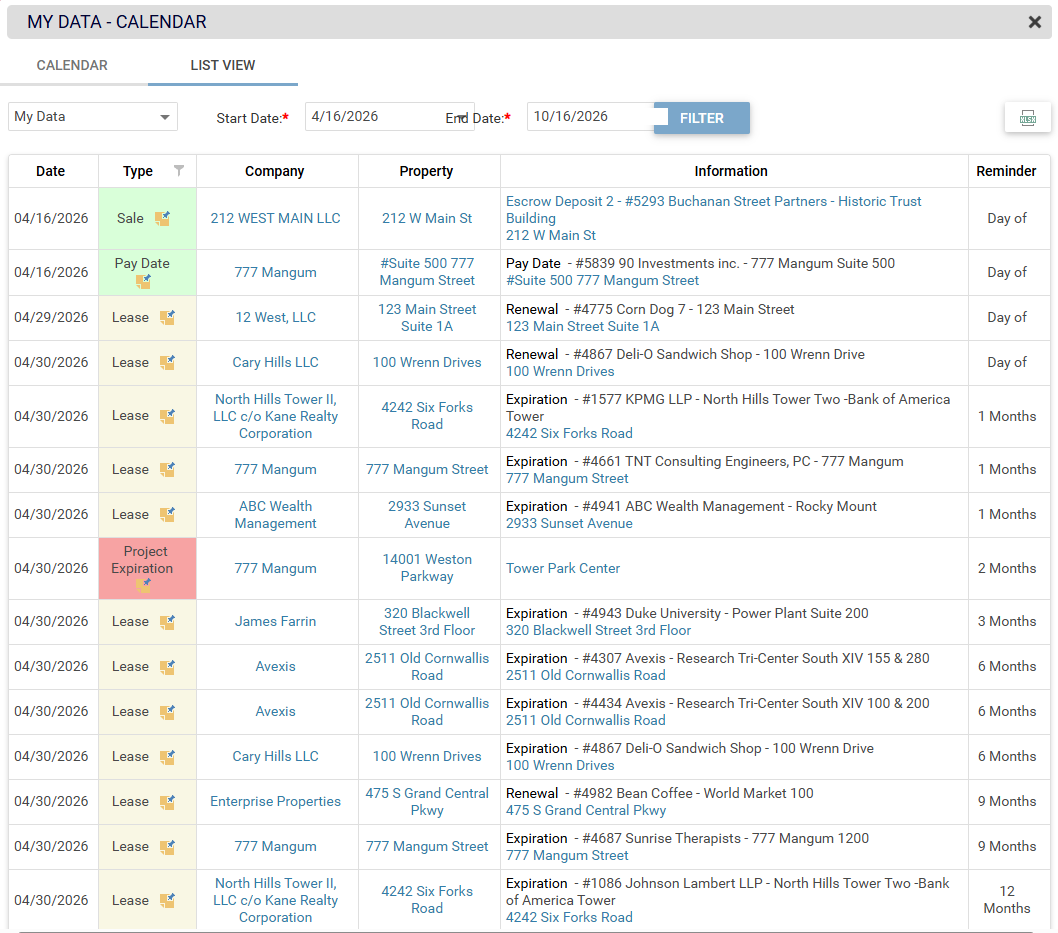
Everything from your Next 30 Days window lives here too, but the calendar gives you the ability to filter by date range. That means you can:
- Look ahead beyond the standard 30-day window to plan further out
- Look back at past dates to catch anything that slipped through
- Get a visual, day-by-day view of your reminders and follow-ups side by side
It is the same data, just a different lens — and sometimes a broader view is exactly what you need.
What You Need to Do (Spoiler: Not Much)
Most of this is automatic. The only thing Realcore needs from you is a follow-up date when you add a note. That one small habit — adding a date to your notes on prospects, projects, and deals — is what turns Realcore into a true reminder engine for your pipeline.
Everything else? The platform has it handled.
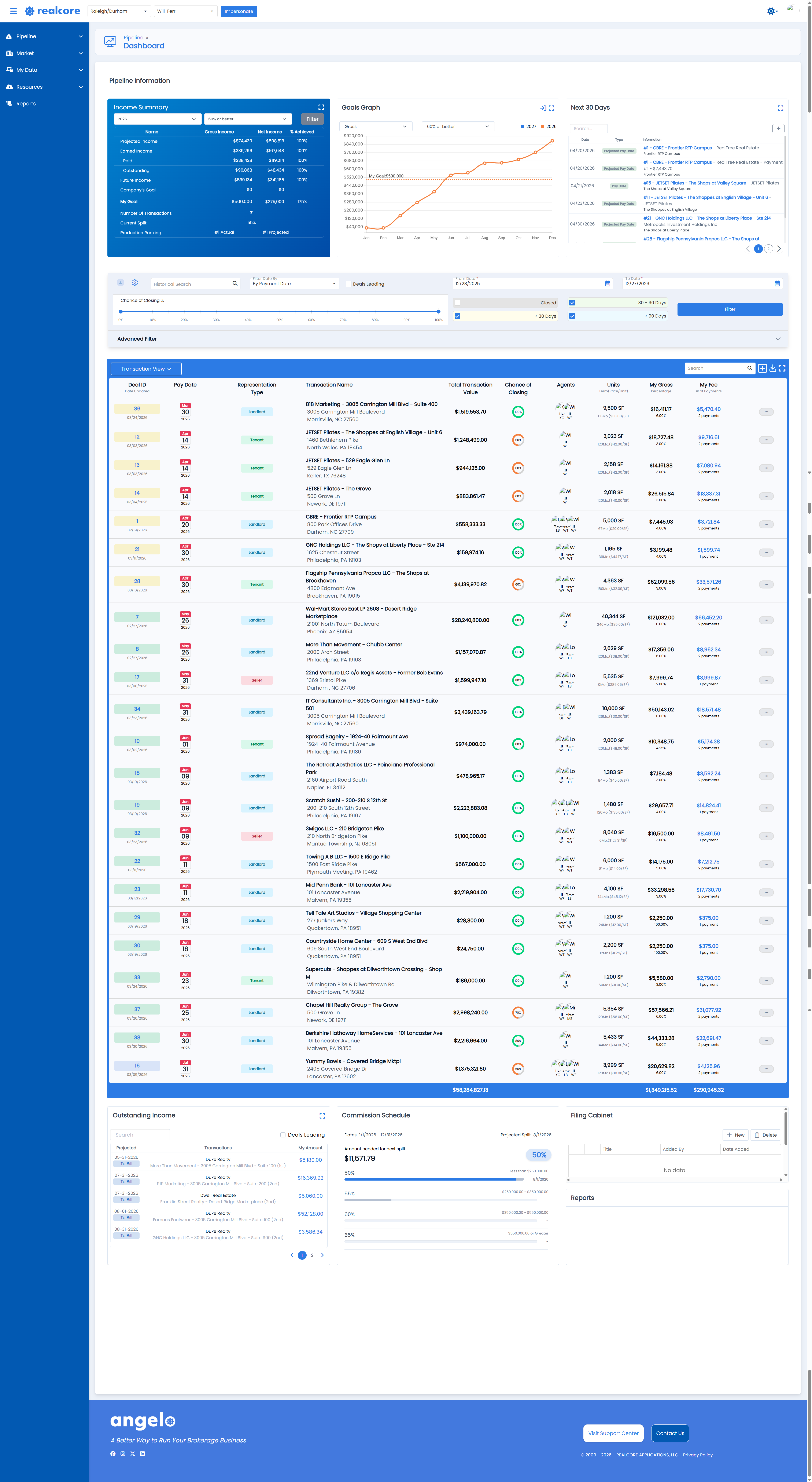
A Sneak Peek at Angelo Want to see how your Next 30 Days and pipeline will look when we launch Realcore 4.0?
The functionality you rely on today is carrying over — and it is getting even better. Stay tuned for more updates as we get closer to launch.
Ready to put your reminders to work? Log into Realcore and take a look at your Next 30 Days view — you might be surprised by what's already waiting for you there.
We’re here to help! If you need help finding specific data, email us at: support@realcoreapps.com or visit our Support Page for tutorials and more.
And don’t forget — this month’s live trainings are happening soon! No RSVP needed—just join. You’ll find dates, times, and links here.